
Deviation caught early
A duct run drifting from the model is a conversation in week two and a demolition order in month six. The overlay moves the discovery forward.
Tools: BIM overlay
Stand in a captured room and bring the design model up over the built reality. What matches, matches; what deviates is visible before it is buried.
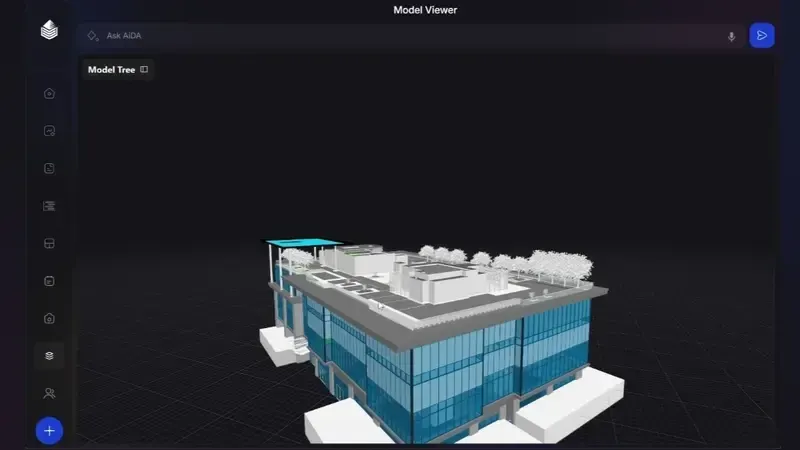
A duct run drifting from the model is a conversation in week two and a demolition order in month six. The overlay moves the discovery forward.
The model registers against the located imagery, with no manual matching of viewpoints and no screenshots pasted side by side.
Design teams check conformance from their desks, on this week’s record, instead of batching questions for the next site day.
Where built work matches the model, the overlay is the proof; where it does not, the record shows what was actually installed.
Fit
The industry pays for models and then verifies against them with clipboards. The overlay closes that loop: the model you coordinated becomes the standard the captured record is checked against.
It also settles the recurring argument about whether a deviation existed at a given date. The overlay is anchored to dated capture, so the question has a factual answer.
Questions
Standard IFC exports from the common authoring tools. The model loads once and follows the record from then on.
No. Even a structural or MEP-only model adds value. The overlay works with whatever discipline models exist.
No. Clash detection happens between models before work starts; the overlay compares the model against what was actually built.
A 20-minute walkthrough of Oblix on a real project. No slides, no obligation.