
Plan-first navigation
The floor plan is the map. Click where you want to stand; the viewer puts you there, facing the way the walk faced.
Tools: 360° viewer
The viewer is where the record lives: pick a spot on the plan, stand in it, and scrub through every week since the project began.
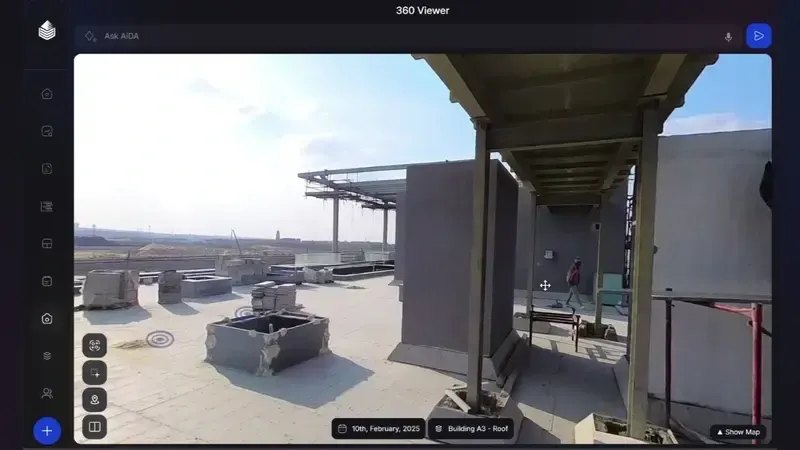
The floor plan is the map. Click where you want to stand; the viewer puts you there, facing the way the walk faced.
The date bar travels with you. Step backwards through the weeks without losing your position, the fastest way to see what changed.
Two dates, one position, side by side. The standard tool for progress reviews and dispute meetings alike.
Copy a link and the recipient opens straight to the exact spot on the exact date, ready to view.
In practice
Weekly progress meetings, payment reviews and handover walkthroughs all start the same way: open the viewer, go to the contested location, read the dates. The conversation shifts from recollection to inspection.
Because the viewer runs in the browser, it is the one tool every party (owner, contractor, consultant, lender) can be given without an IT project.
Questions
Access is per project, not per seat, so the owner’s team, the consultant and the contractor can all work from the same record.
Yes. The viewer is a responsive web app, usable from the site office or the back of a car.
Any view can be exported as a dated, located still, ready to drop into a payment application or a report.
A 20-minute walkthrough of Oblix on a real project. No slides, no obligation.