
360° walkthrough viewer

Stand anywhere on site, at any captured date, from a browser. Split view compares two dates in place.
In depthThe platform
Oblix is a capture-to-evidence pipeline. It asks 30 minutes a week of one engineer, and gives every stakeholder the same navigable, measurable record of the works.
The pipeline
Walk the site with an off-the-shelf 360° camera on a hardhat mount. No marked routes to install, no scanning tripods, no specialist crew.
Works with consumer 360° cameras; drone and phone imagery can be attached to the same record.
In depth: Capture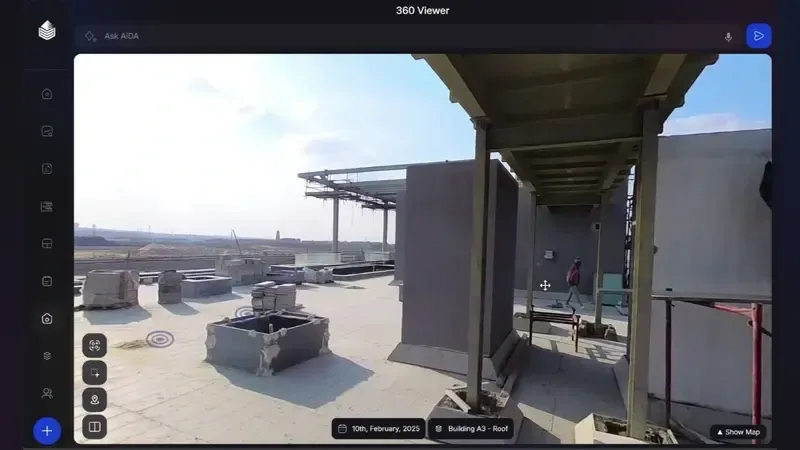
Every frame is pinned to its position on your floor plans automatically. Walks align date over date, so any location can be replayed through time.
Visual positioning against the drawings, with no beacons or site infrastructure required.
In depth: Locate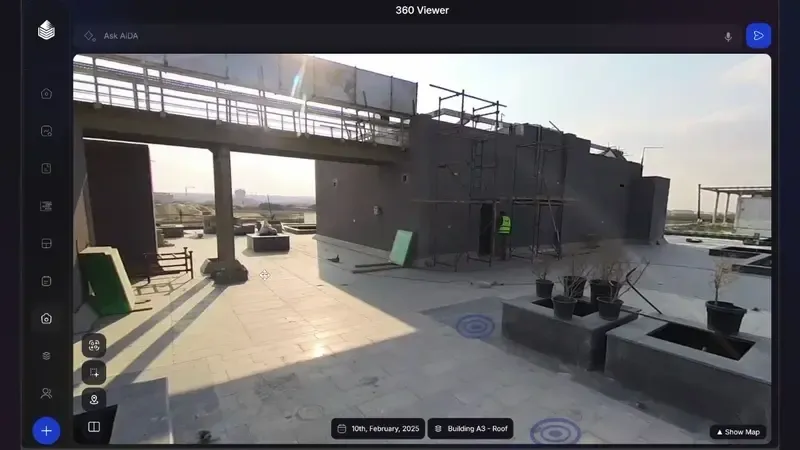
The imagery becomes a navigable 3D record: walk it in a browser, measure from it, and set it against the design model to see the drift.
BIM overlay and comparison for design-versus-built reviews.
In depth: Reconstruct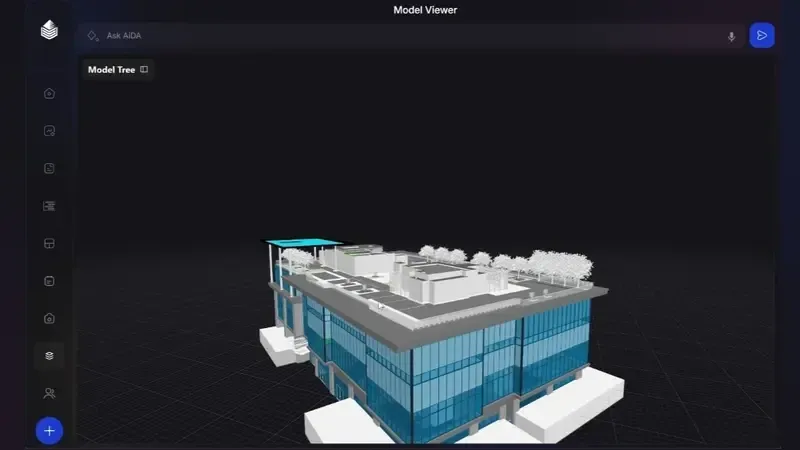
Vision models read surfaces and elements from the capture, measure work in place, and reconcile it with your programme: percent-complete with the evidence attached.
Trained on regional construction methods: blockwork, plaster, screed and finishing sequences as they are actually built here.
In depth: Understand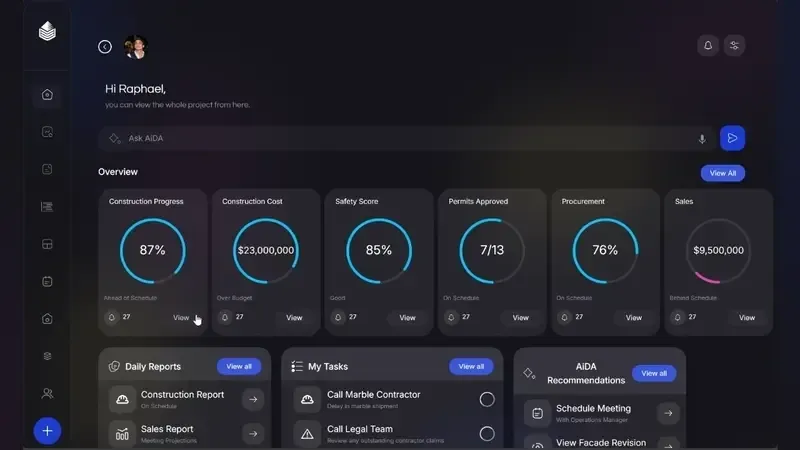
What you work with
Everything below reads from the same capture archive: one version of the site, whoever is looking.
Stand anywhere on site, at any captured date, from a browser. Split view compares two dates in place.
In depthWork in place measured by AI and mapped to zones and programme activities. Planned against actual, elevation by elevation.
In depthLoad the model over the capture to review design against built, without a workstation or a plugin.
In depthProgress summaries, portfolio dashboards and exportable reports, all generated from the record rather than compiled by hand.
In depthAsk the project anything, on the platform or over WhatsApp. AiDA answers from the record and the documents, drafts daily logs and opens located issues.
In depthOwner, consultant and contractor read the same record with role-based access, instead of exported photo folders drifting around by email.
Who it serves
Under the hood
The buyer-facing product is deliberately simple. The engineering underneath it is not.
Oblix positions each 360° frame by matching visual features against your drawings and previous walks, using a SLAM-based visual positioning approach. No beacons, QR codes or fixed cameras are installed, and accuracy improves as the capture archive grows.
Segmentation models classify built surfaces and elements (structure, blockwork, plaster, screed, finishes, MEP first/second fix) frame by frame, then aggregate detections across overlapping frames into per-zone work-in-place estimates with confidence scores.
Zones and activity codes are matched to your schedule (Primavera P6 or MS Project exports). Measured work in place rolls up to activity percent-complete, so planned-versus-actual reads in the same structure your planners already use.
Your capture record is yours, exportable at any time. Hosting runs on Google Cloud in the EU (europe-west8). Oblix does not currently hold formal certifications such as ISO 27001 or SOC 2, and dedicated in-region hosting for KSA/UAE deployments is not yet offered.
Questions
Any recent consumer 360° camera works (Insta360/Ricoh class, roughly $400–800 per unit). One camera typically covers a site; two cover a large one. Oblix is software, so we don’t sell or mark up hardware.
Any site engineer or document controller, after one short briefing. Budget about 30–45 minutes per 20,000 m² of active floor plate, weekly. The route is fixed once and repeated.
Programme imports from Primavera P6 and MS Project; report exports to PDF and Excel. Procore and Autodesk integrations are on the roadmap. Tell us which you run in the demo call.
Pricing is per project, scaled by built area and duration, with unlimited users. Owners, consultants and contractors are never counted per seat. We quote after a scoping call.
That is the home market. Oblix teams deploy and support projects across Egypt, Saudi Arabia and the UAE, in Arabic and English, and the models are trained on regional construction methods.
A 20-minute walkthrough of Oblix on a real project. No slides, no obligation.